GPT Images 2.5 Hands-On Review: Better Local Editing, but Not Quite Point-and-Edit Yet
OpenAI has officially released ChatGPT Images 2.5, the latest generation of its image model.
Why “Images” in the plural? This release comes in two variants.
GPT-Image-2.5 Flare prioritizes speed, making it a better fit for rapid drafts, everyday generation, and batch production. GPT-Image-2.5 Sunburst focuses more heavily on editing precision, with product imagery, advertising assets, and other iterative work in mind.
Earlier AI image models often felt like rolling the dice. Images 2.5 is clearly aiming for something closer to a practical design environment. OpenAI describes the upgrade in straightforward terms: sharper details, faster generation, and stronger fidelity to subjects in reference images. More importantly, the model is designed to behave better across successive edits, changing the requested element without casually disturbing areas that have already been approved.
Sam Altman also joked that complex math might not be its specialty, but image generation certainly is.
The ambition behind Images 2.5 is serious. According to OpenAI, users now generate more than 3 billion images every week across ChatGPT Images and the API. With this release, the company is pushing AI image generation further into everyday personal creation, marketing design, and product-visual workflows.
Our main question was a familiar one: Can GPT Images 2.5 edit a specific detail while leaving everything else alone? We put the model through several demanding tests to find out.
Reference Image Fidelity
OpenAI lists reference-image fidelity as one of the main upgrades in Images 2.5. The model is expected to preserve the defining features of a person or object even when the scene, style, or composition changes.
For this test, we uploaded an image of a framed mirror with shattered glass. We asked the model to repair the broken glass while keeping the reflected scene unchanged.
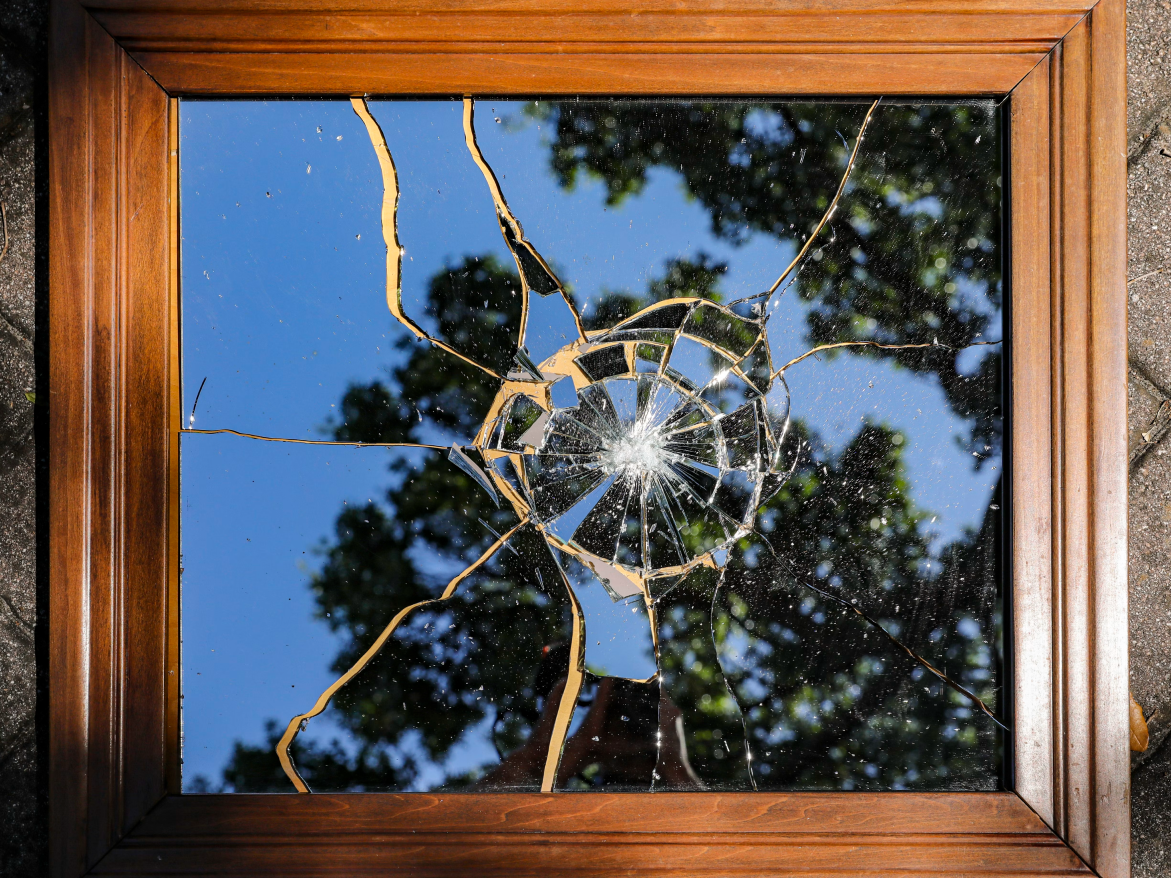
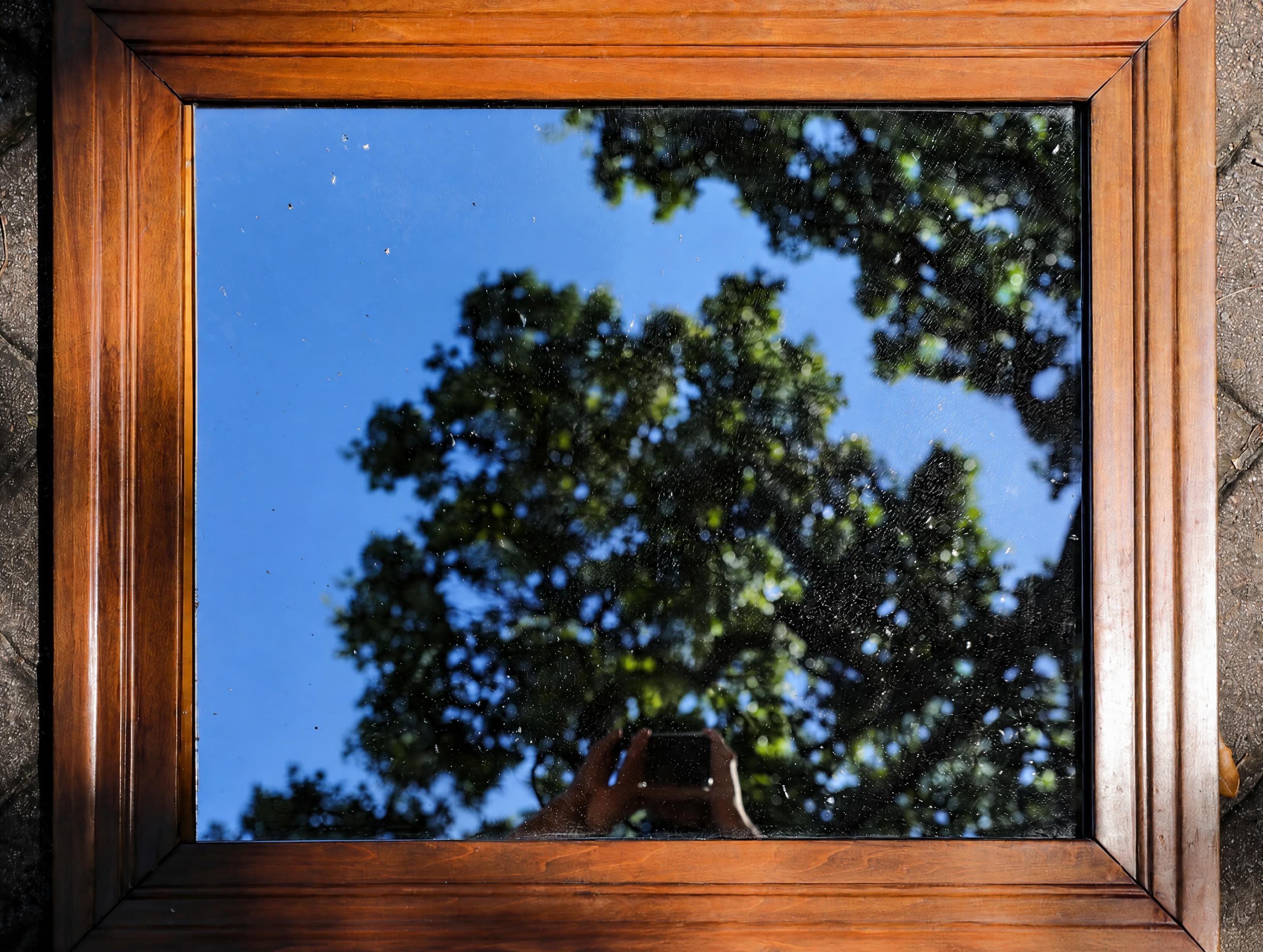
The result was impressive. The cracks and damaged areas disappeared, while the sky and trees in the reflection remained naturally connected. The wooden frame, the foliage at the edge of the image, and even the camera visible at the bottom were preserved. The overall composition barely changed.
The main weakness was the hand. Because much of the finger detail was missing in the source image, the reconstructed fingers looked slightly stiff and became noticeably unnatural when viewed up close.
Precise Local Editing
Local editing is one of the central upgrades in Images 2.5, and it has become a major focus across recent image and video models.
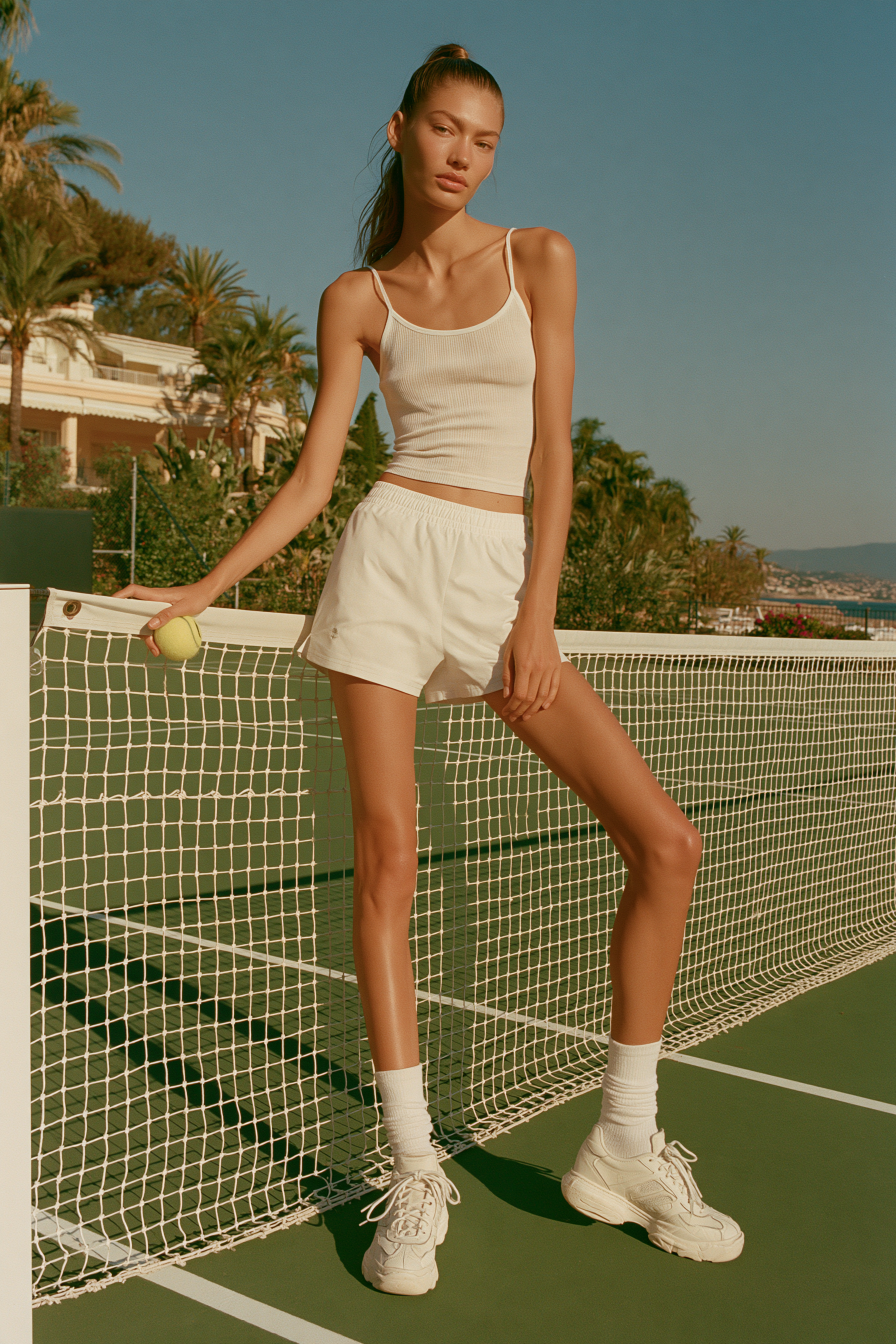
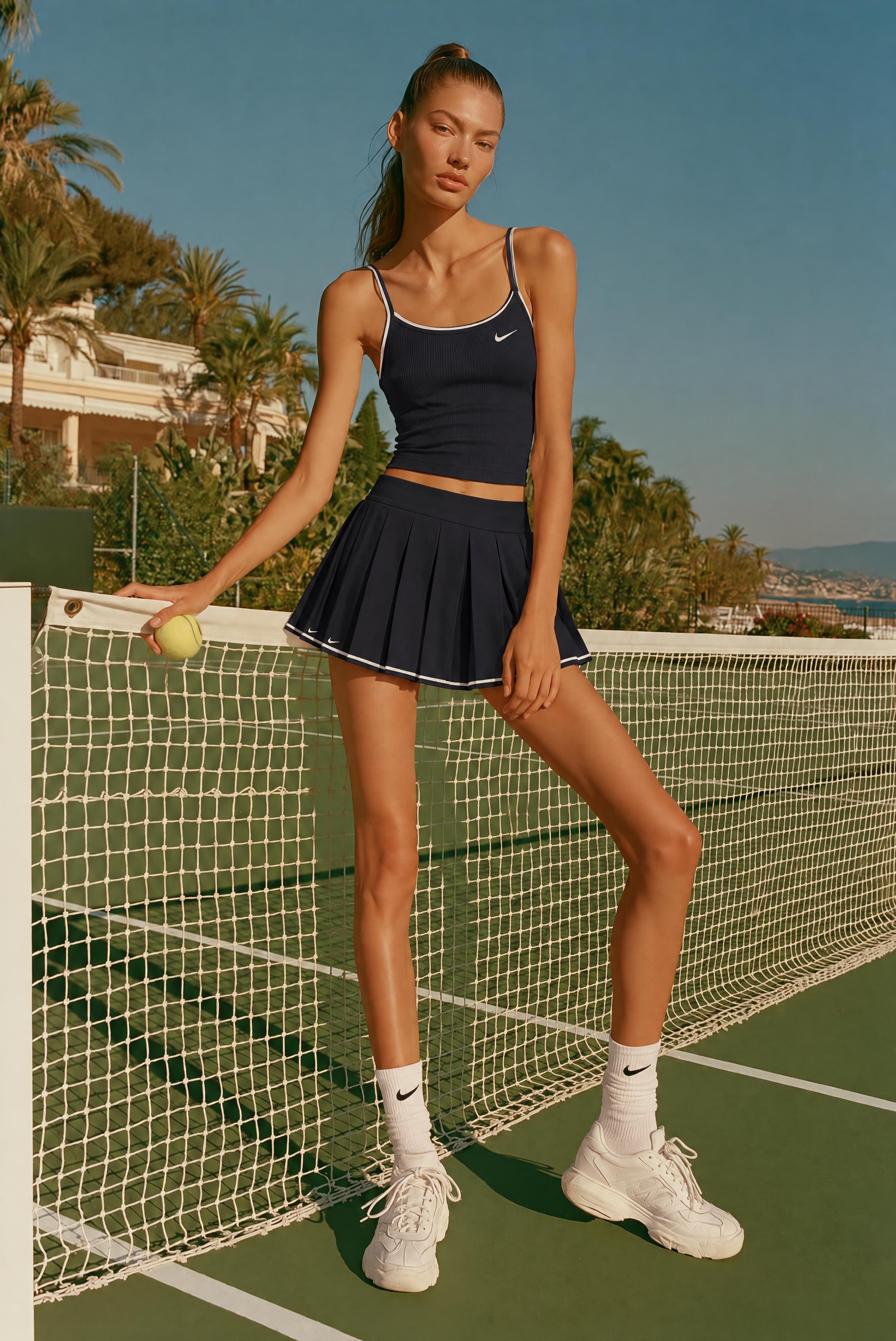
In the first test, we asked the model to replace the subject’s white sportswear with a dark tennis outfit and leave everything else unchanged. The new clothing looked natural, including its cut, folds, and interaction with the existing light. The subject’s facial features, pose, and background structure were also preserved well.
A closer comparison revealed a slight shift in the overall color tone, however, with the change in the sneakers being especially obvious. Local edits affecting the color of the entire image are not new to the GPT Image family. The shift here was relatively mild, but the altered sneakers still show that Images 2.5 cannot yet lock untouched areas with complete pixel-level consistency.
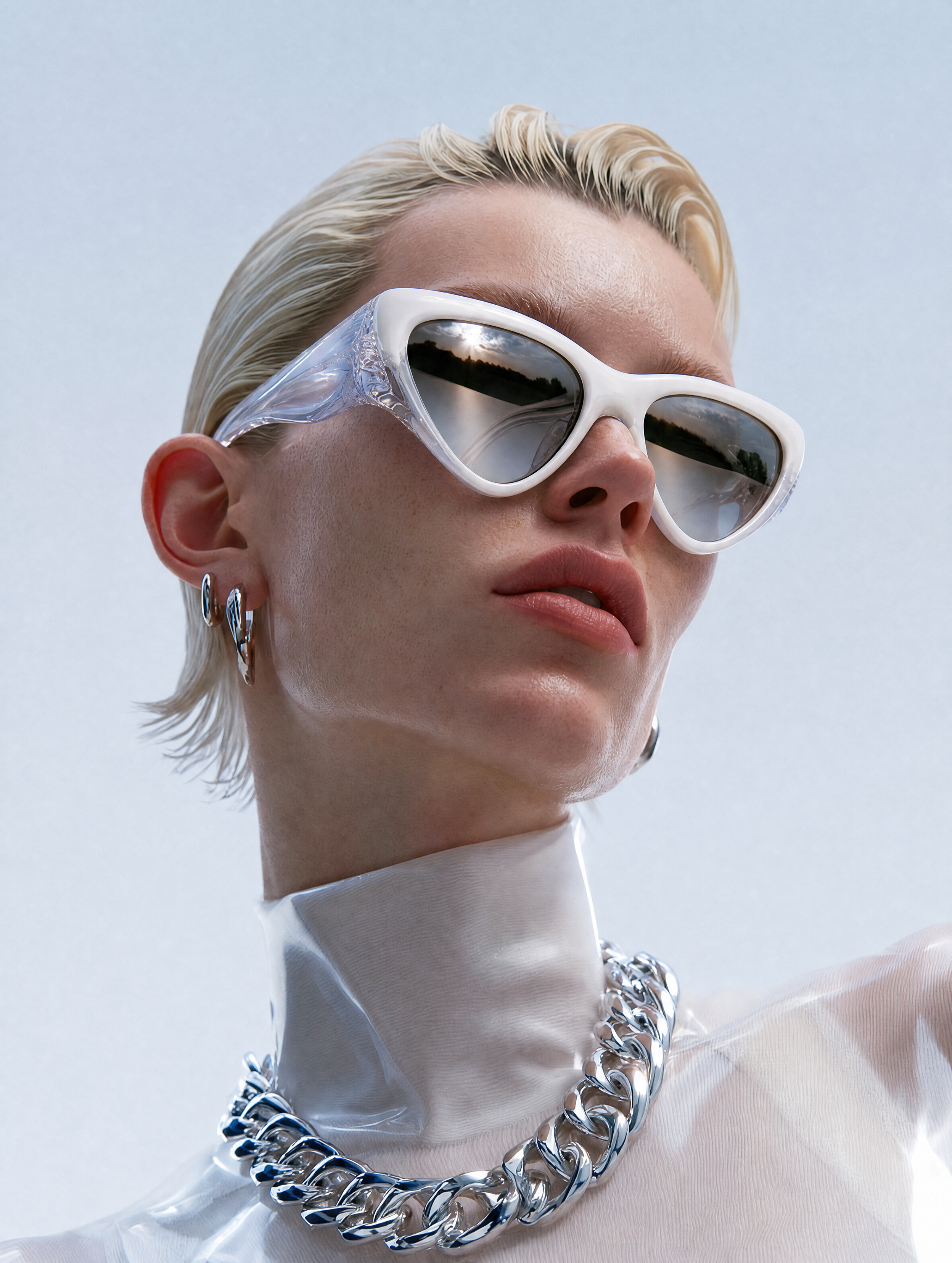
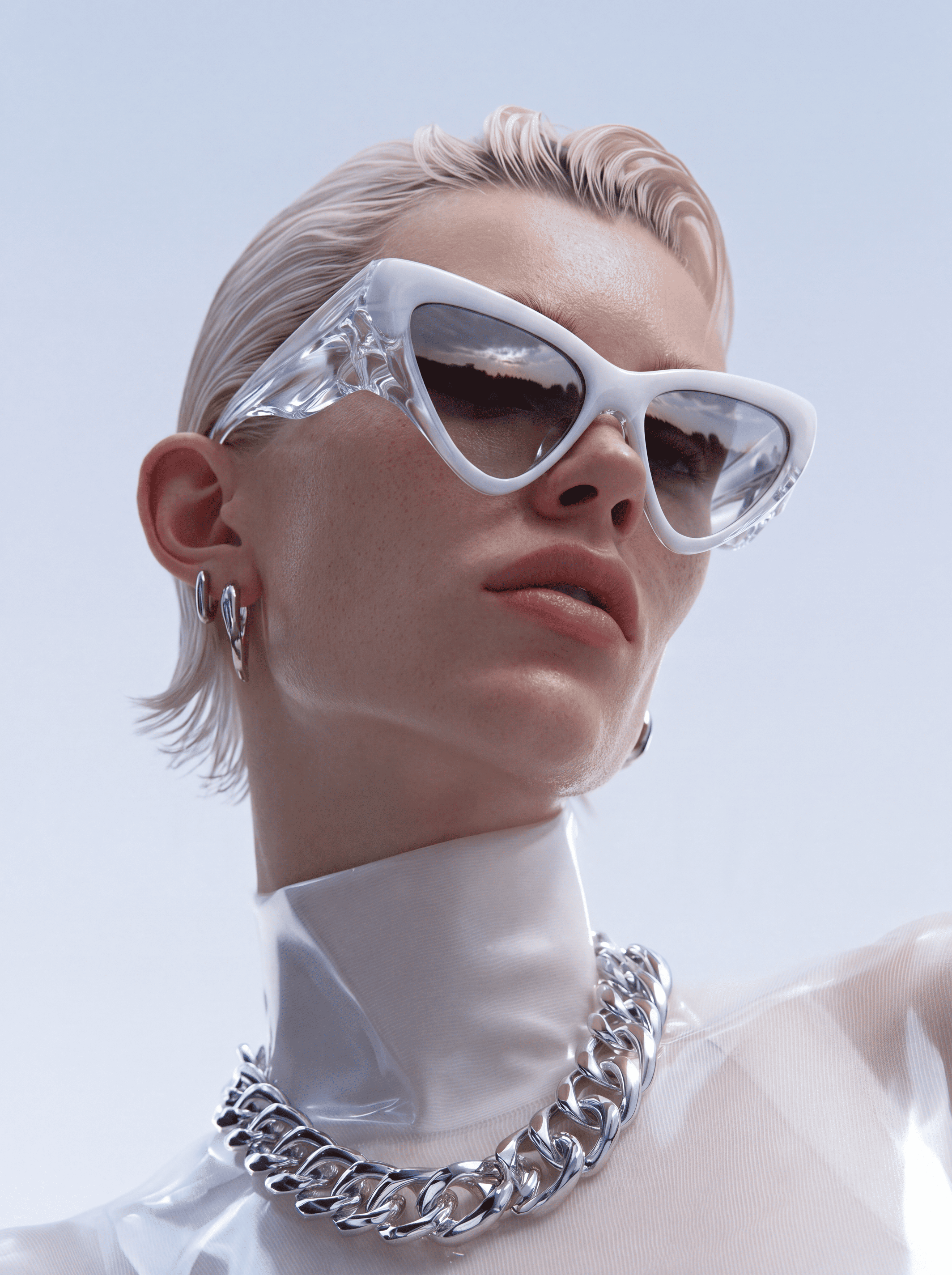
For the second test, we asked GPT Images 2.5 to replace the transparent protective glasses in the original image with the cat-eye sunglasses shown in a reference image.
The reference glasses have transparent temples and a complex overlap between the temples and lenses. Images 2.5 did not resolve that relationship correctly. One temple was rendered over the lens, making it look as if it passed straight through the glass.
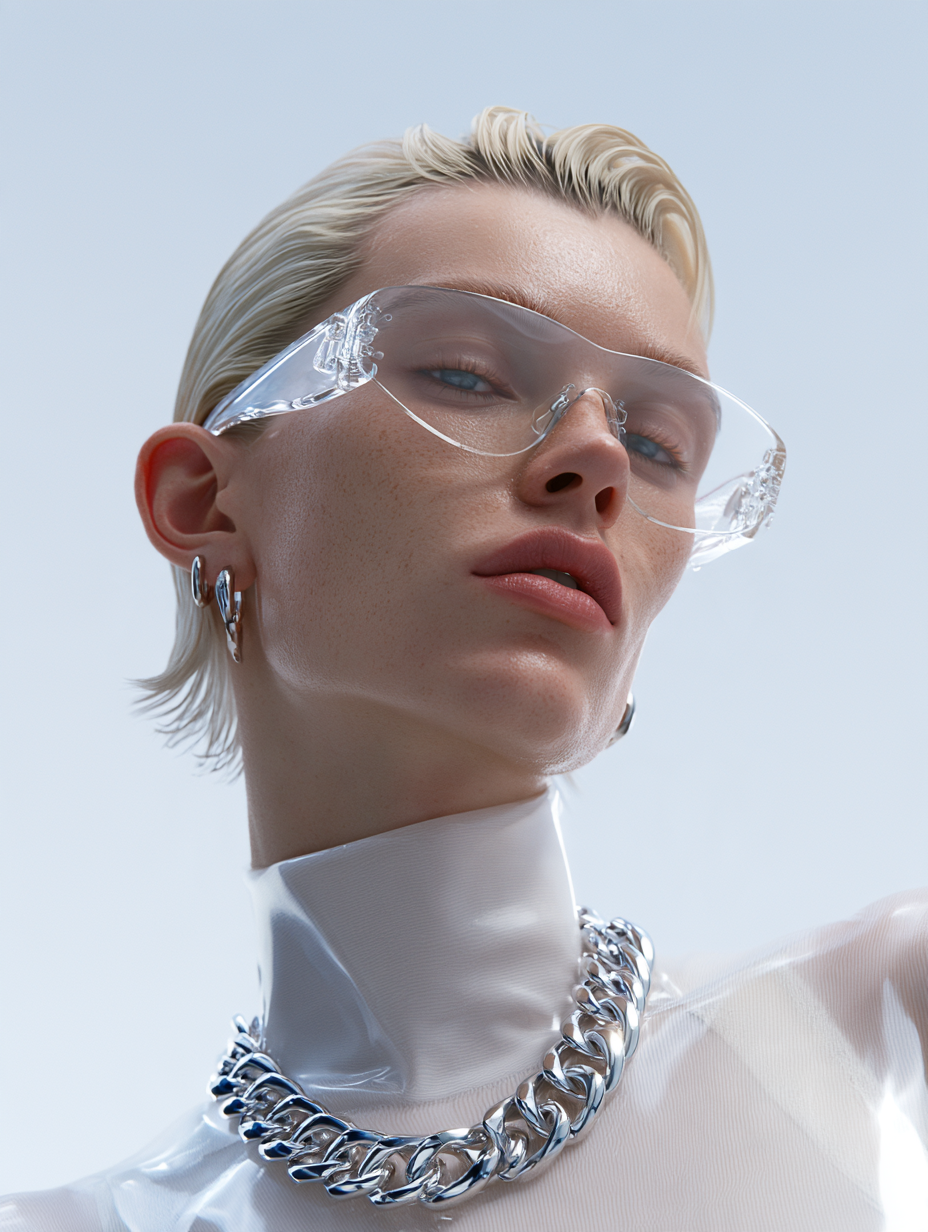
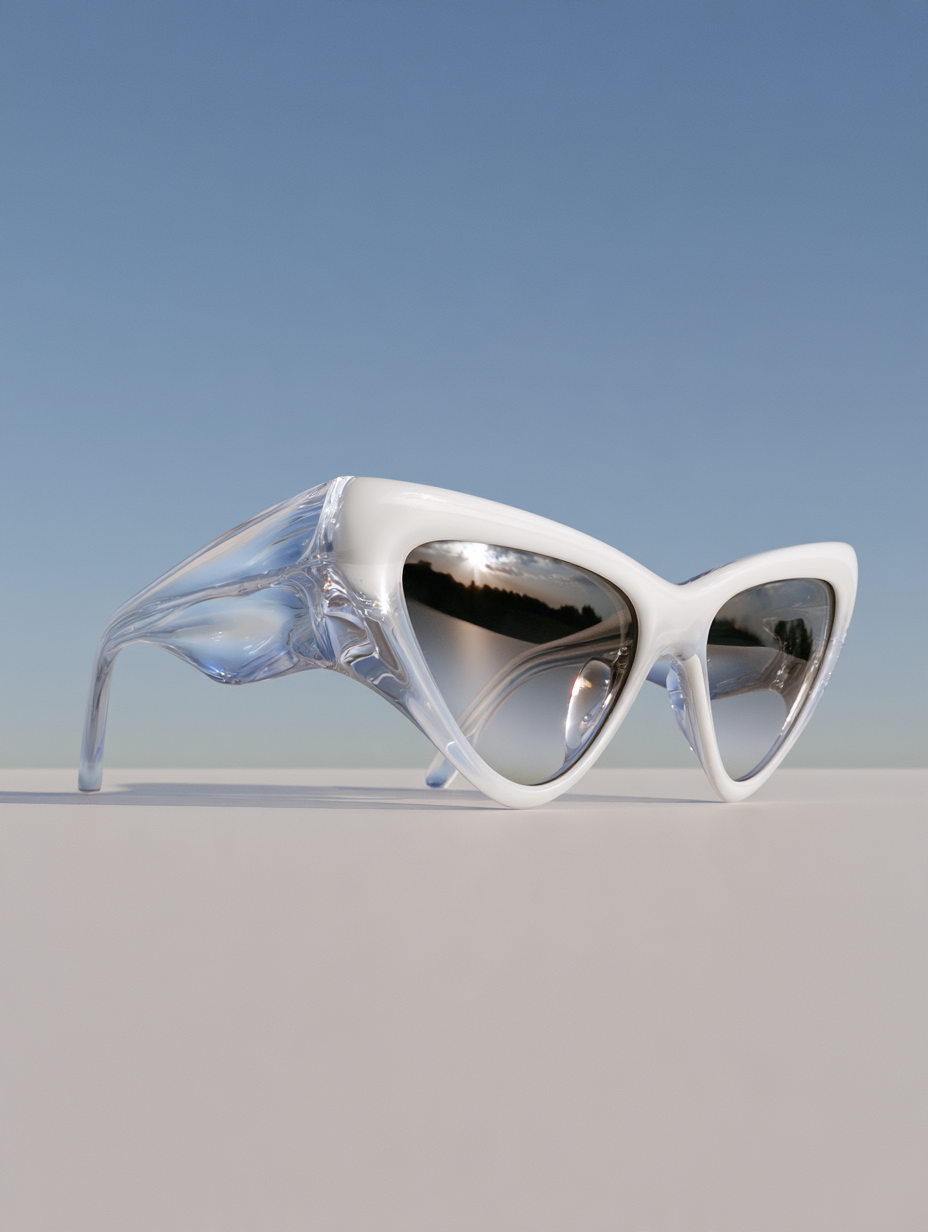
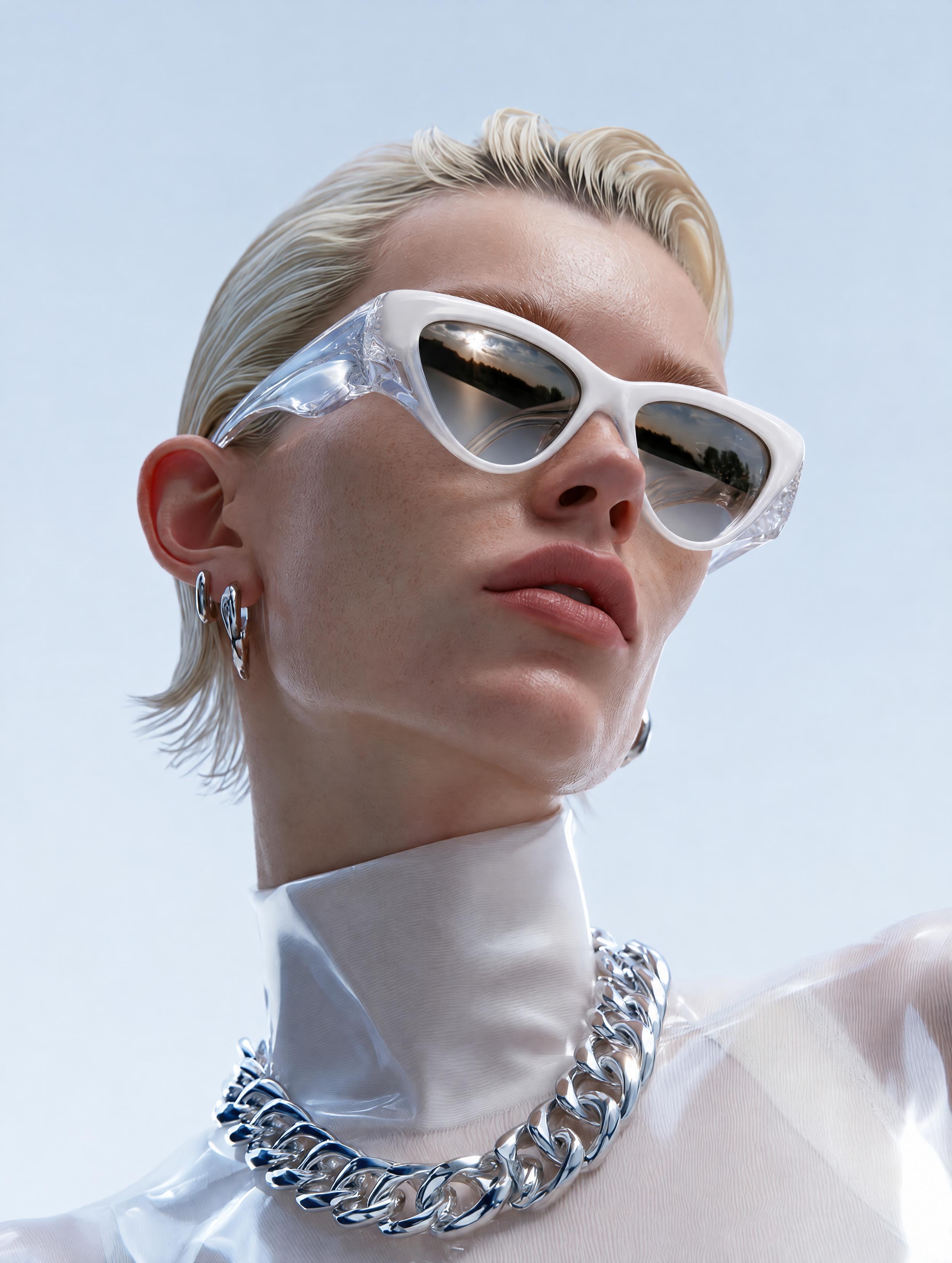
To see whether this was an isolated failure or a broader challenge for current image models, we tested the same inputs and prompt with Images 2.0 and Nano Banana Pro. Images 2.0 produced a similar temple-through-lens error. Nano Banana Pro handled the overlap correctly, but it changed the shape of the exposed temple and shifted the overall color tone away from the original.
All three results point to the same limitation. Transparent materials and complex occlusion remain difficult to handle in a single local edit. A model may replace the intended object correctly while still altering its structure or unrelated details elsewhere in the image.
Consistency Across Multiple Editing Rounds
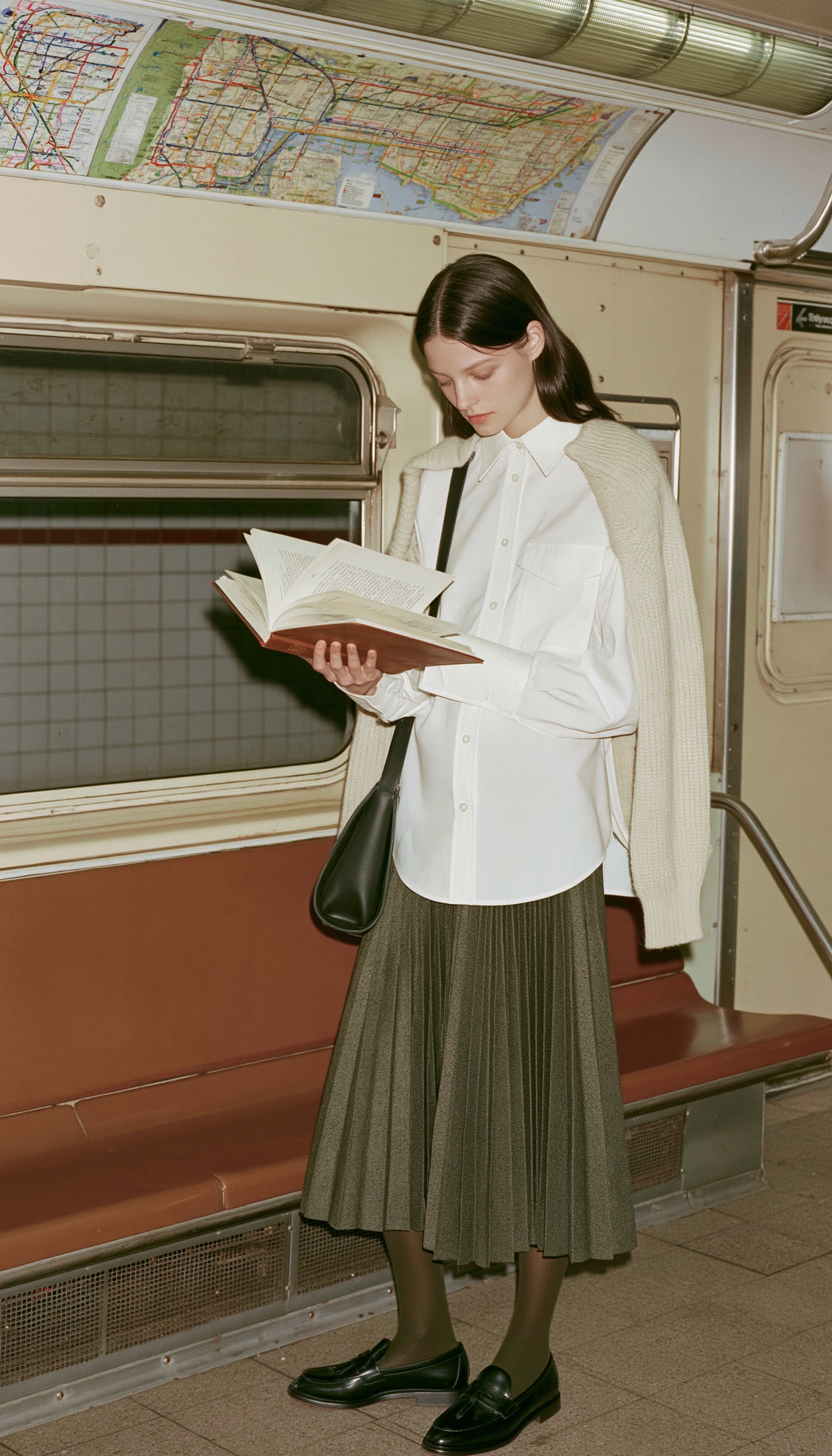
Images rarely reach a final state after one edit. Once the character is approved, the clothing may need to change. After the clothing is set, the background may be replaced. Copy and dimensions often come later.
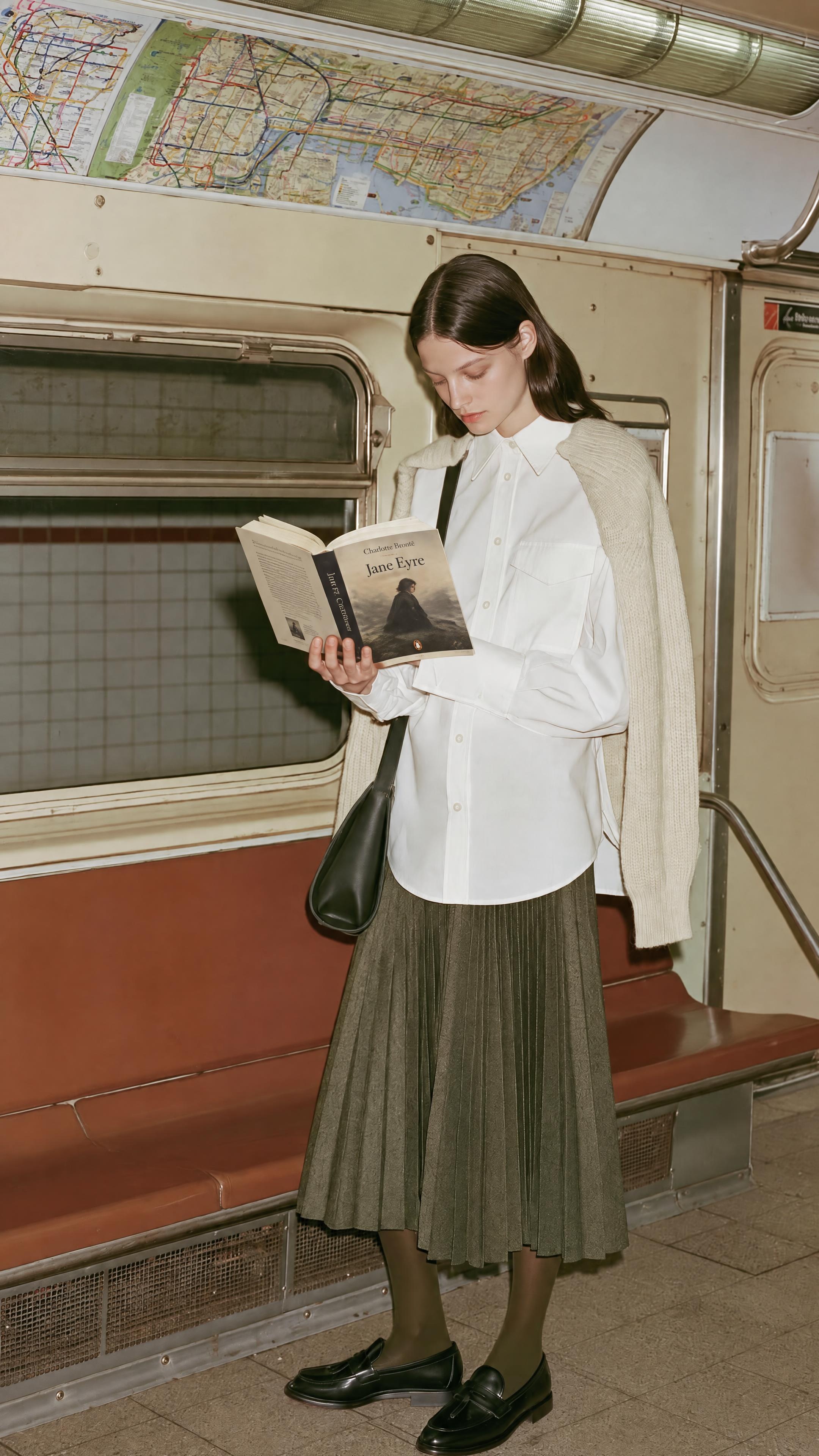
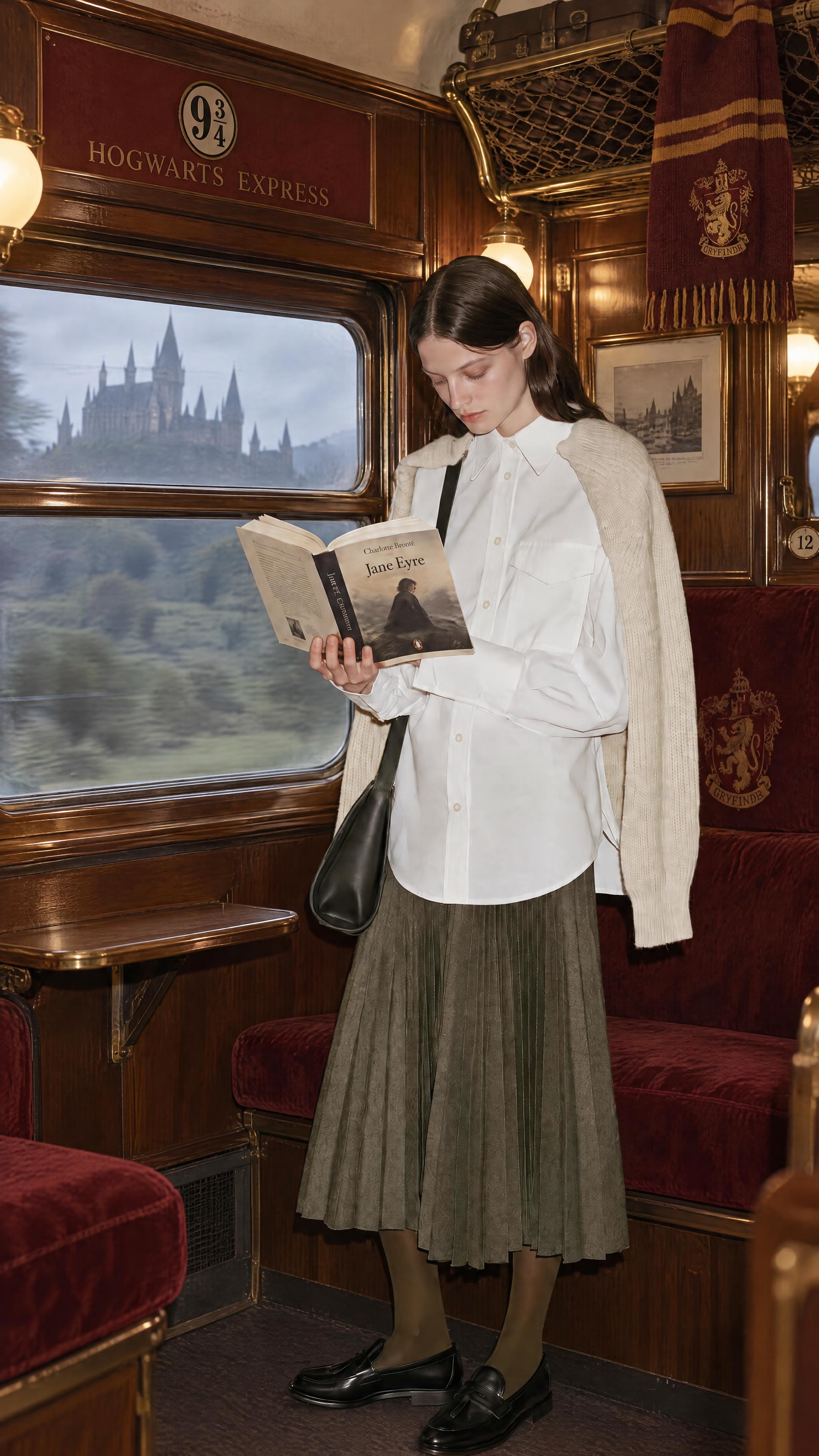
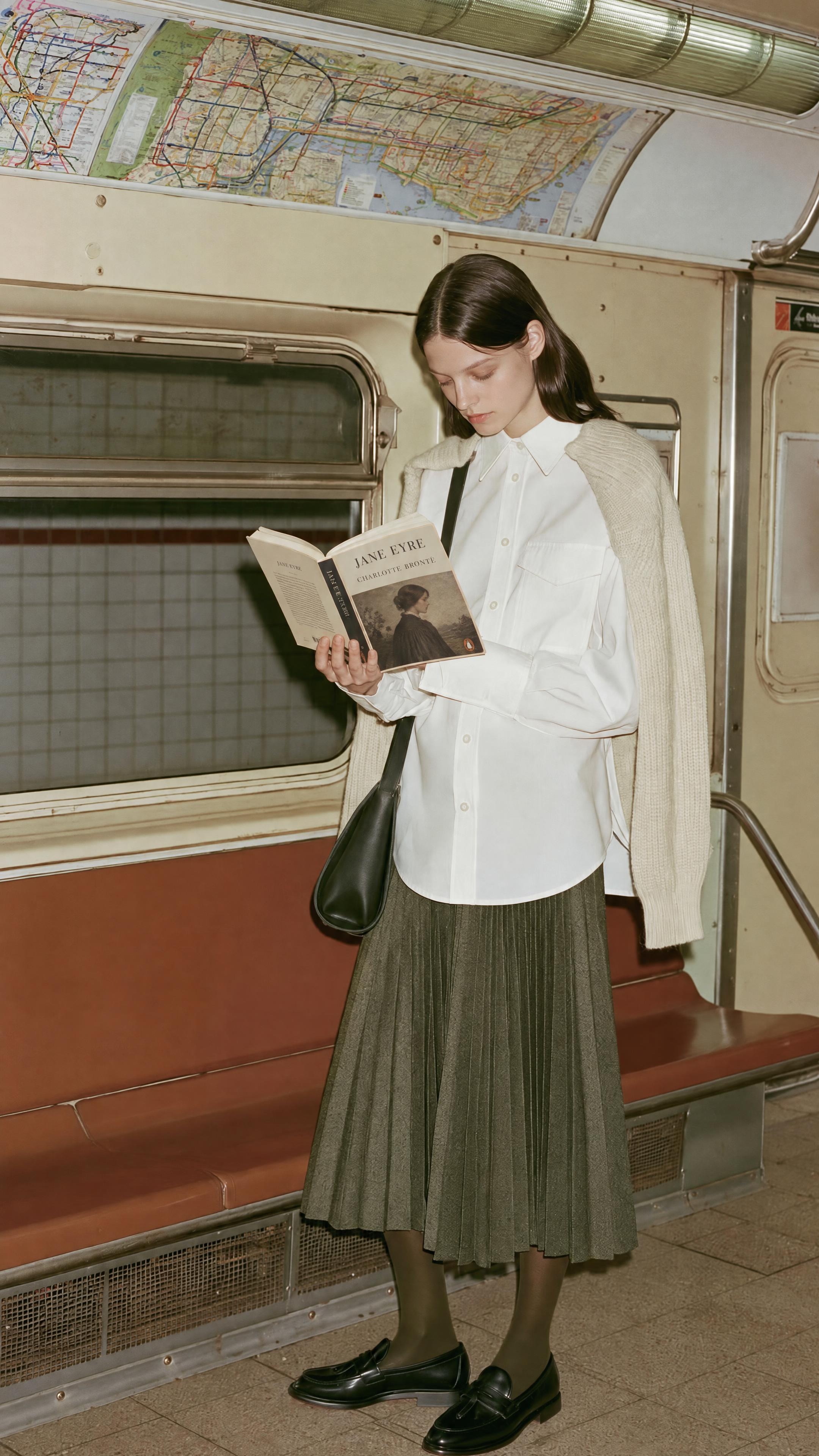
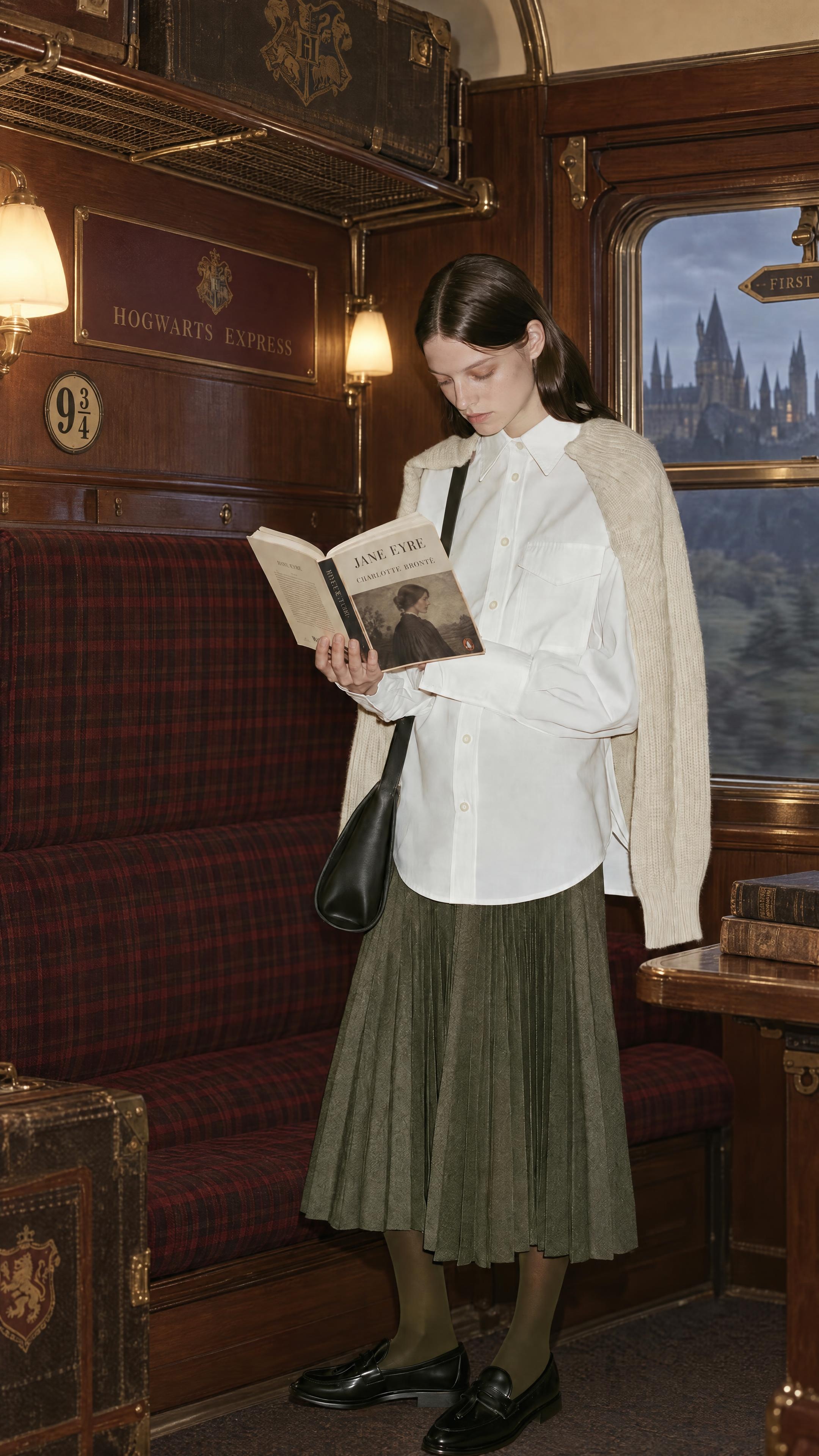
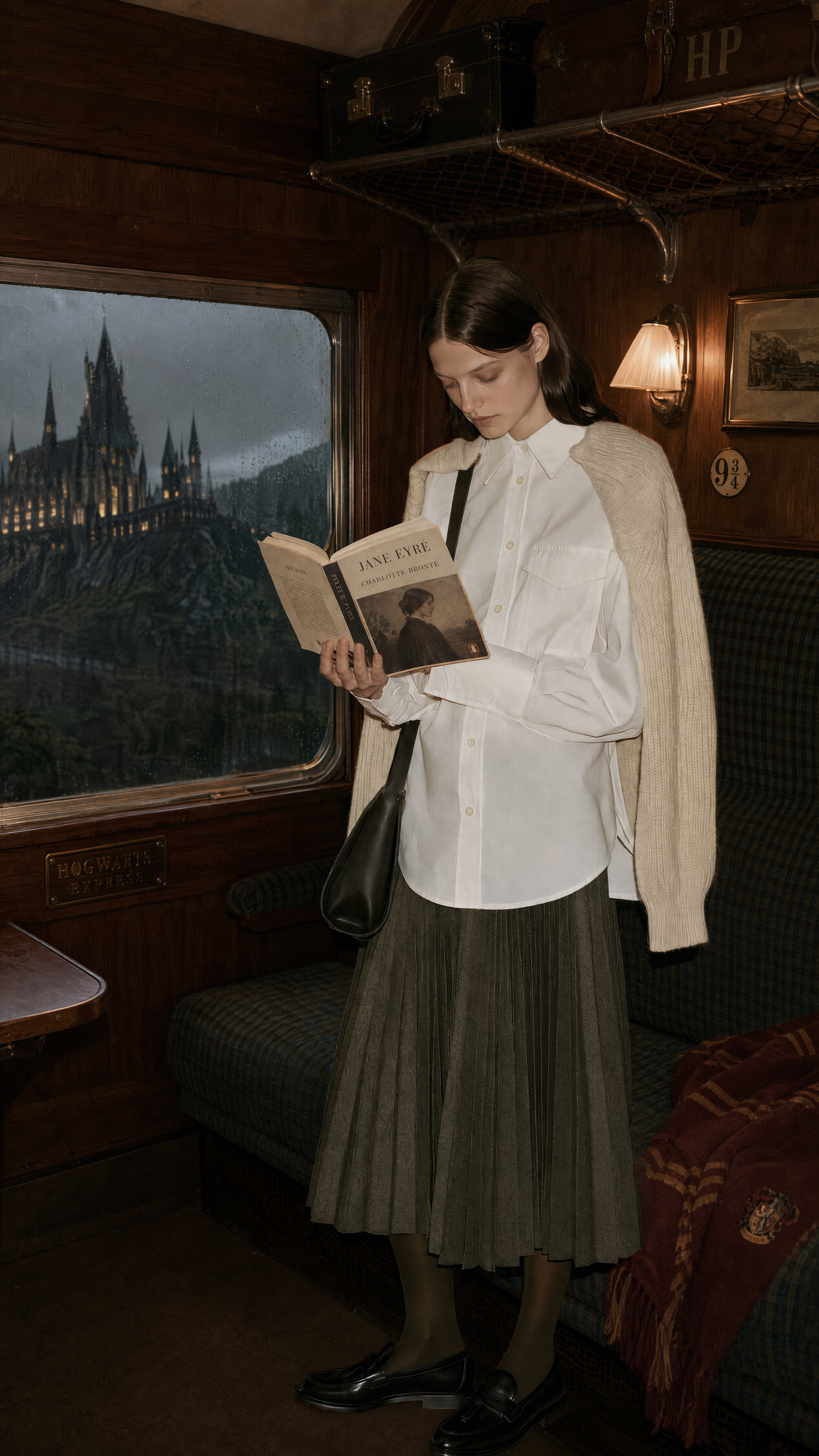
OpenAI says Images 2.5 is better at carrying previous changes through a multi-turn editing session, while resisting the quality loss that often accumulates with every new round. We tested that claim with two consecutive edits at both High and Max quality.
In the first round, we replaced the book in the woman’s hands with Jane Eyre. In the second, we changed the train background to the Hogwarts Express. Both instructions were completed successfully, and the model preserved the character’s appearance, clothing, and pose remarkably well.
Image quality was the weak point. After the first edit, the face and skirt already looked less defined. By the second round, noise and oversharpening had become more obvious, leaving the image with a noticeably dirtier finish.
The same issue appeared at both High and Max quality. When we zoomed in on the face, Max retained slightly more detail and looked a little sharper, but the overall difference was modest. Images 2.5 also prices 4K High quality well below the equivalent tier in Images 2.0, making High the more practical value option in our test.
Compared with Images 2.0 at 4K High quality, Images 2.5 showed a clear improvement in character consistency. It remembers the person, but it still struggles to carry the image cleanly through too many edits. Anyone planning to work from an initial image all the way to a finished asset should continue to watch for gradual quality loss.
A Win for Bad Sketchers: @Sketch Turns Rough Layouts into Polished Visuals
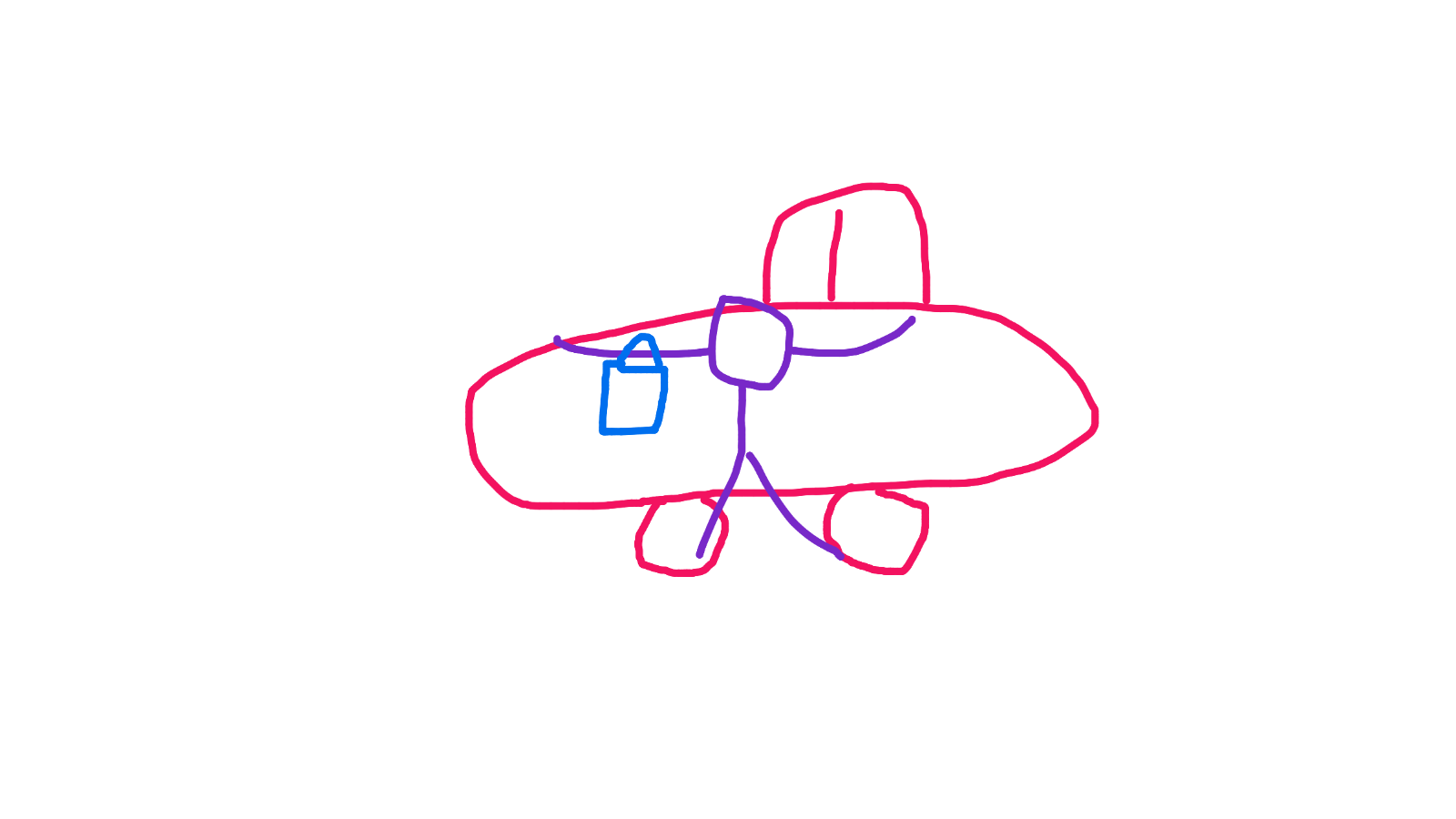
Alongside its standard image-generation features, Images 2.5 adds @Sketch. Artflo has adapted the feature for its image nodes. Open the Sketch panel, draw a rough layout, and add a short style direction such as “flat illustration” or “fashion editorial.” The model can then develop the sketch into a polished image. The drawing does not need to be refined. Clear object placement and spatial relationships are usually enough.
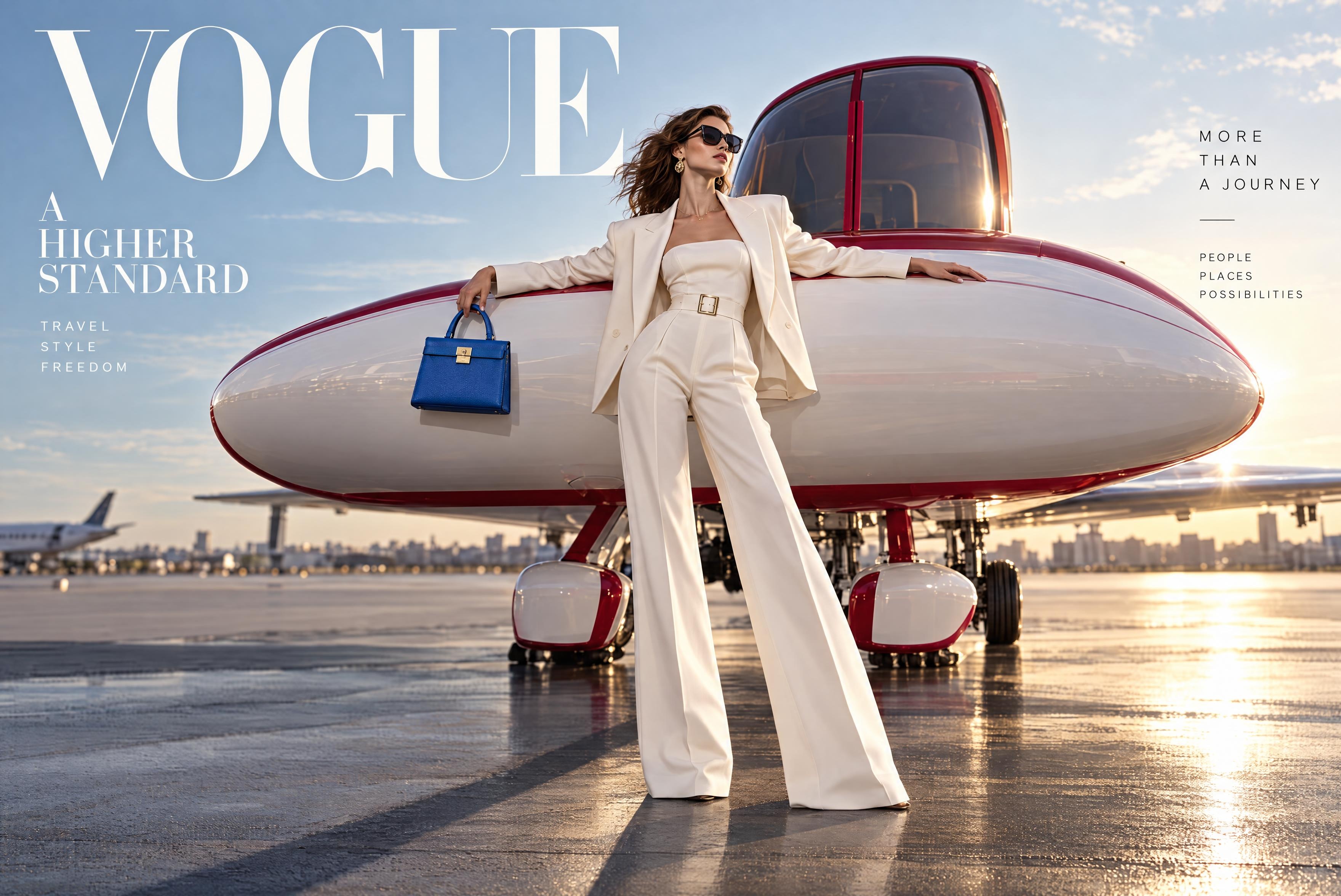
My sketch was rough enough that the model interpreted the car as an airplane. Even so, Images 2.5 understood the intended composition and delivered a convincing fashion-advertising look. It kept the person in front of the vehicle, placed the handbag at her side, and built out an airport setting with editorial lighting. The generated text also held up well. Both the main headline and supporting copy rendered correctly, with a layout close to a fashion magazine cover.
For social content, visual proposals, and early concept work, sketching the placement first and letting the model complete the scene can be far more direct than relying on a text prompt alone.
Conclusion
After these tests, Images 2.5 does feel more responsive to instructions than its predecessor. It preserved the original composition and most details while repairing the broken mirror. Across successive book and background changes, it kept the character from quietly turning into someone else. @Sketch is especially useful for content creators: even a crude drawing can become a polished visual when the intended spatial relationships are clear.
True point-and-edit control is still some distance away. Changing the outfit shifted the color of the entire image, transparent temples and lenses produced an occlusion error, and repeated edits gradually made the image look dirtier. Product images and advertising assets still need a full review before delivery. Checking only the edited area is not enough.
In practice, Flare is better suited to rapid drafts and batch generation, while Sunburst makes more sense for careful refinement. The difference between 4K High and Max was modest in this comparison, and High should be sufficient as the everyday setting for many projects. Inside Artflo’s node-based workflow, moving from a rough sketch to composition, local replacement, and version exploration feels more controlled than repeatedly trying to steer the result through prompts alone.
Images 2.5 is ready to take a serious role in everyday visual production. Color consistency, occlusion, and image quality across multiple editing rounds still require a human eye before the final asset goes out.