Free Kling 3.0 AI Video Generator
Experience the cinematic revolution with Kling 3.0 — Now available on Artflo. It is a next-generation AI video model designed for cinematic storytelling. Move beyond silent, disconnected loops and direct complete narratives with the groundbreaking Multi-Shot feature, stitching together up to 15 seconds of coherent action. Breathe life into your characters with Native Audio and Multilingual Lip-Sync, ensuring perfect dialogue in any language. With the upgraded Omni model for text-based video editing and superior motion physics for high-action scenes, Kling 3.0 gives you total control. Stop generating GIFs; start directing films.
Free Kling 3.0 AI Video Generator
Input Your Scene & Audio
Describe your visual and auditory vision — for example, “A cyberpunk agent speaking in the rain” including specific dialogue lines. You can also specify camera movements like “zoom in” or “pan right” for precise directorial control.
Generate
Select the Kling 3.0 model from the dropdown menu and hit Run. The engine doesn't just animate pixels; it instantly synchronizes lip movements, generates sound effects, and ensures character consistency across the entire shot.
Download
Watch your cinema-grade video come to life with perfect audio-visual match. If you are satisfied with the blockbuster result, download the high-resolution file or share your story with a single click.
Multi-Shot Cinematic Storytelling
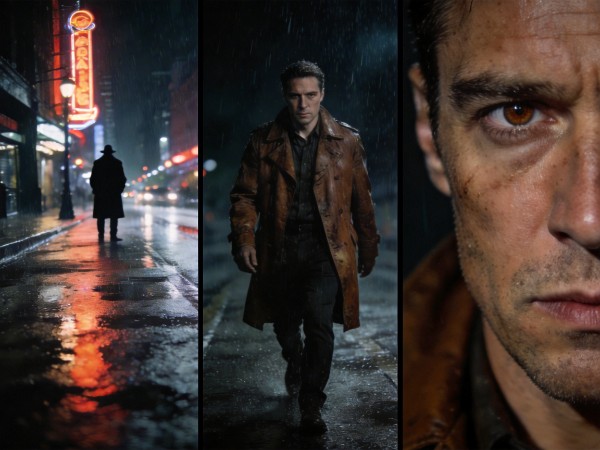
Move beyond simple loops. Kling 3.0 introduces a revolutionary Multi-Shot feature that allows you to direct complete narratives in a single generation. Define up to four distinct camera angles—from an establishing wide shot to an intense close-up—and stitch them into a coherent 15-second sequence. Character identity and environmental details remain locked, ensuring your hero looks exactly the same in every frame.
Native Audio & Multilingual Lip-Sync
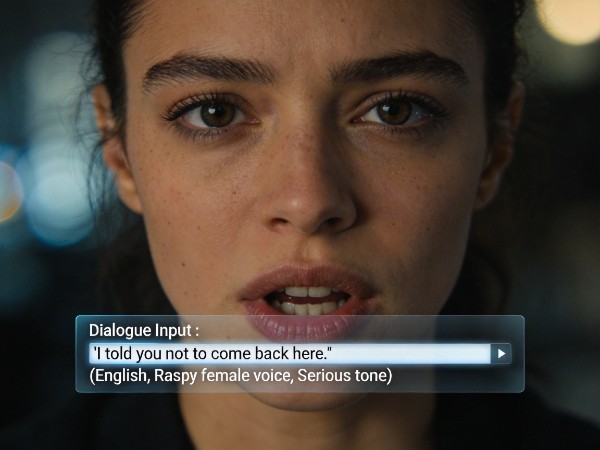
Silence is no longer golden. Kling 3.0 generates synchronized, native audio and precise lip movements directly within the video generation process. Whether your character is speaking Japanese, Korean, Cantonese, or English, the model aligns mouth movements with frame-perfect accuracy. It doesn't just generate speech; it creates atmospheric soundscapes—from the crunch of an apple to the roar of an explosion—that match the visual action.
Semantic Video Editing (Omni)
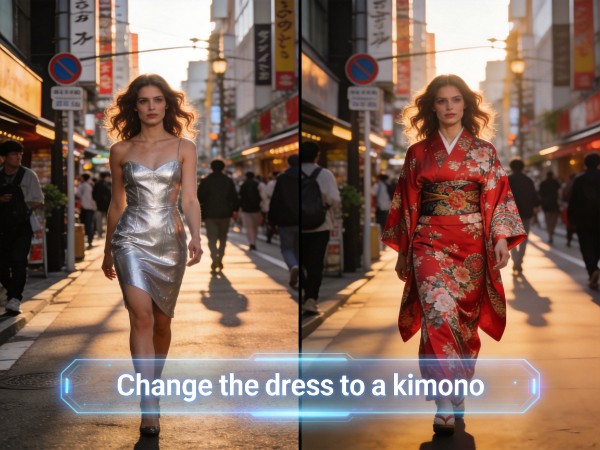
Edit reality with natural language. The Kling 3.0 Omni model acts as a semantic video editor, allowing you to modify specific elements without reshooting the scene. Upload a video and simply type "change the dress to a kimono" or "make the car red." The AI understands object relationships and 3D depth, altering only what you requested while preserving the original camera movement, lighting, and composition.
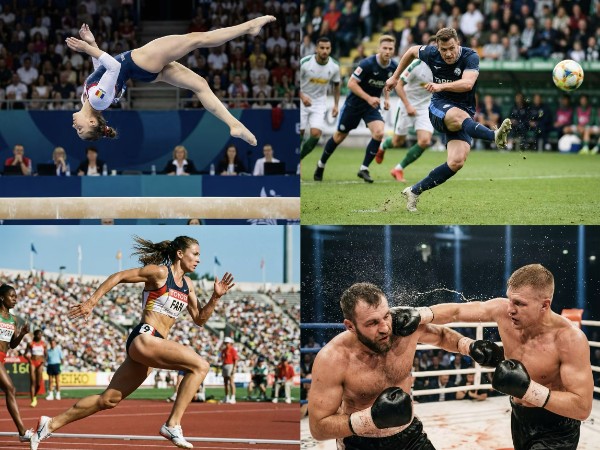
High-Octane Motion Stability
Render complex action without the glitches. Kling 3.0 has a superior understanding of human anatomy and real-world physics, enabling it to handle fast-paced, high-complexity movements. From breakdancing and gymnastics to rain-soaked martial arts duels, the model maintains limb integrity and fluid motion blur. Say goodbye to distorted bodies and hallucinated limbs during rapid acceleration or complex choreography.
Kling 3.0: The Newest Tool for AI Video Creation & Storytelling
Kling 3.0 isn't just an upgrade; it is a directorial revolution. We didn't just read the documentation—we pushed the new Omni engine to its absolute limits. In our exclusive deep dive, witness how we used Kling 3.0 to command precise camera angles like a pro, generate native audio with perfect lip-sync, and maintain "Face ID" level character consistency across complex narrative shots. See the results that prove why the age of silent, inconsistent AI video is officially dead.
How Creators love Kling 3.0
The Multi-Shot feature is a total game-changer for narrative consistency. I finally produced a 15-second fight scene where my main character didn't morph into someone else between cuts. It’s no longer just generating random clips; Kling 3.0 is a legitimate storytelling tool that lets me direct scenes with continuity.
I tested the Multilingual Lip-Sync with a Japanese anime prompt, and I was shocked. The mouth movements matched the audio perfectly without looking uncanny. Being able to generate native audio and visuals in one go has cut my post-production time in half. It handles complex expressions like laughing or crying incredibly well.
The Omni editing capabilities are mind-blowing. I took a stock video of a car, typed 'make it red and put it in a desert,' and Kling 3.0 executed it while keeping the camera orbit perfectly smooth. The physics on complex textures like clothing are miles ahead of other models. It's like having a VFX team in my browser.
FAQ
Is the Kling 3.0 AI Video Generator free to try?
Yes. Kling 3.0 is officially available on Artflo. You can start directing your own AI blockbusters immediately using platform credits.
Can I use videos made with the Free Kling 3.0 Generator for commercial projects?
Commercial rights are available for subscribed users only. While you can generate and experiment with Kling 3.0 using free credits for personal use, you must upgrade to a subscription plan to unlock full commercial licenses for client work, marketing materials, and monetization.
Can I turn my static images into videos with Kling 3.0?
Yes. You can upload static images and use text prompts to make them "come alive"—perfect for animating product shots or turning concept paid subscription.e
Does Kling 3.0 support multiple languages for dialogue?
Yes. The Omni model supports realistic emotional expression and lip-syncing in multiple languages.