Seedance 2.5: A Major Step Toward Production-Ready AI Video
Seedance 2.5 is one of the most important AI video model updates of the year.
Seedance 2.5 brings several major upgrades: 30-second video generation, up to 50 multimodal reference inputs, R2V reference control, local editing, and a beta long-video mode that can extend videos up to 180 seconds.
Together, these features do more than make AI videos longer or sharper. They push AI video creation closer to real production.
For the past two years, AI video has had a clear problem:
The demos look amazing. The delivery workflow often breaks.
A five-second or ten-second clip can be visually impressive. But real creative work is harder. Characters need to stay consistent. Products need to remain accurate. Camera motion has to make sense. Scenes need continuity. Small mistakes need to be fixed without regenerating everything.
That is why Seedance 2.5 matters now.
30-second generation: from visual clips to narrative scenes
The most visible upgrade in Seedance 2.5 is 30-second single-generation video.
This matters because most AI video tools have been better at producing moments than scenes. A short clip can show a mood, a camera move, or a visual idea. But it often cannot hold a full narrative beat.
Thirty seconds changes that.
For video creators, 30 seconds is long enough for a short ad, a product demo, a social video, a character scene, or a music video segment. A character can enter a space, take action, shift emotion, and land on a final frame with purpose.
That is a different creative unit.
Longer video also creates a harder test for the model. It has to preserve character identity, clothing and styling, object consistency, lighting continuity, camera logic, motion quality, scene structure, and narrative direction.
A short AI video can hide problems behind spectacle. A 30-second video exposes whether the model can actually maintain structure.
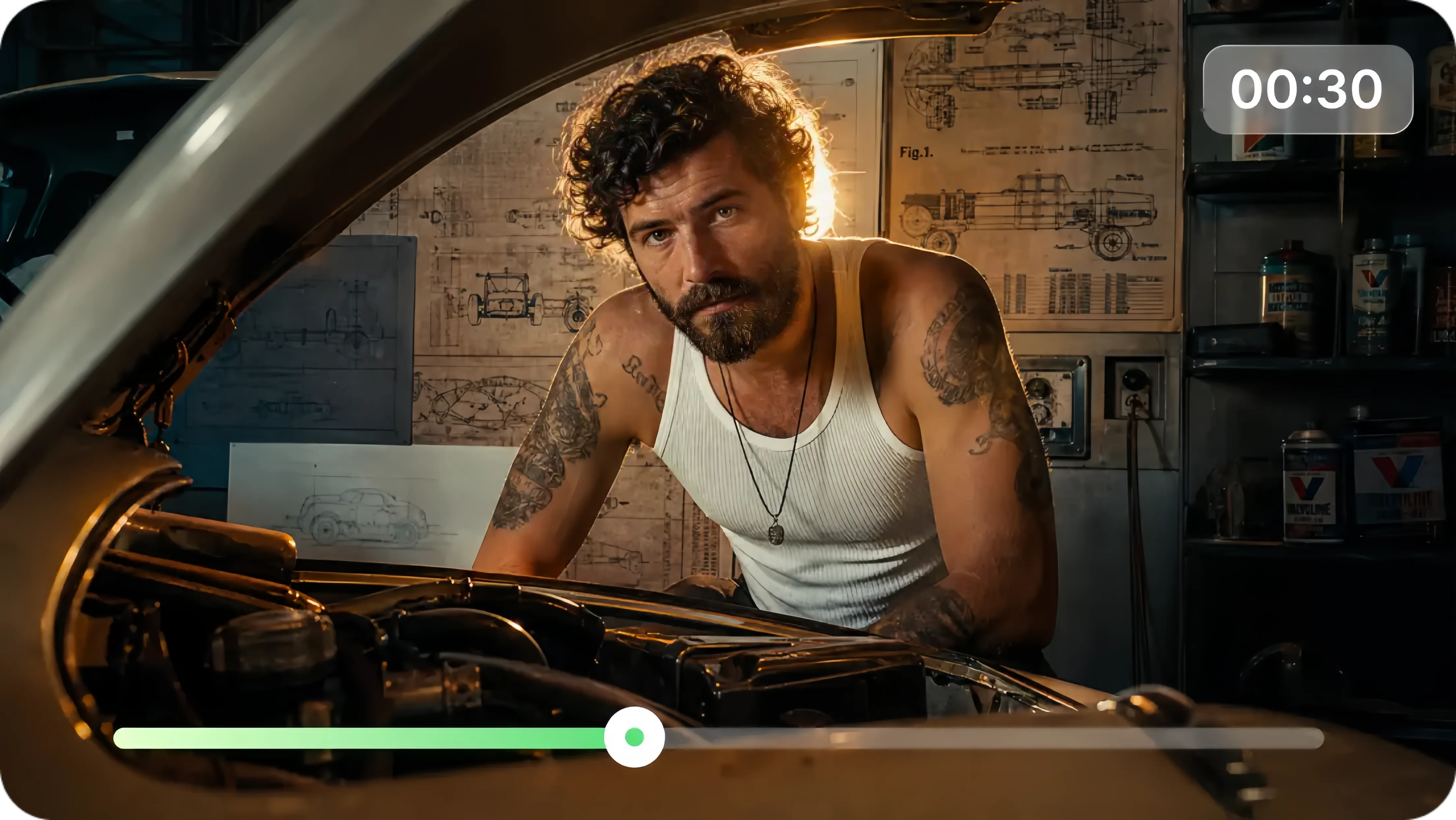
Seedance 2.5 supports up to 30 seconds in standard mode and up to 180 seconds in beta long-video mode. Its real value is the ability to hold identity, lighting, camera logic, spatial relationships, and motion continuity across that time.
50 multimodal references: AI video becomes asset-driven
One of the most important Seedance 2.5 upgrades is support for up to 50 multimodal reference inputs. Dreamina describes these inputs as including prompts, scripts, reference photos, videos, music, style guides, and more.
This is even more valuable for production than the 30-second length.
Traditional AI video generation often feels like a slot machine. You write a prompt and hope the model understands what you mean. The first frame may look great, but the next shot changes the character’s face. A product bends. A brand style drifts. A location becomes inconsistent.
Fifty reference inputs move the process toward reference-driven creation.
A designer can provide brand colors, logos, product shots, visual references, typography direction, and campaign materials.
An artist can provide character turnarounds, costume details, pose references, material studies, environment references, and motion clips.
A video creator can provide scripts, storyboards, camera references, music direction, action examples, and color grading references.
For professional creators, that matters. Reliable creative control rarely comes from one magical prompt. It comes from a strong reference system.
Seedance 2.5 understands those references consistently, making it useful for brand films, product videos, character-driven shorts, music visuals, ecommerce videos, experimental art films, social content series, and game or animation previs.
R2V and white-model references: AI video moves closer to director control
Seedance 2.5 supports R2V, green-screen footage, and white-model references to guide character movement, spatial position, and interactions. Its 3D white-model workflow brings more direct control to post-production, game CG, advertising, industrial design, and architectural visualization.
This is one of the most interesting parts of the update.
AI video has always struggled with directability. You can ask for a camera move, but it is difficult to precisely control blocking, perspective, character placement, spatial logic, and multi-character interaction.
With white-model and R2V guidance, creators can first define the structure:
Where the characters stand.
How the camera moves.
How the space is organized.
How characters interact.
How the action progresses.
Where the scene should end.
Then the model can focus on style, lighting, material, atmosphere, and visual detail.
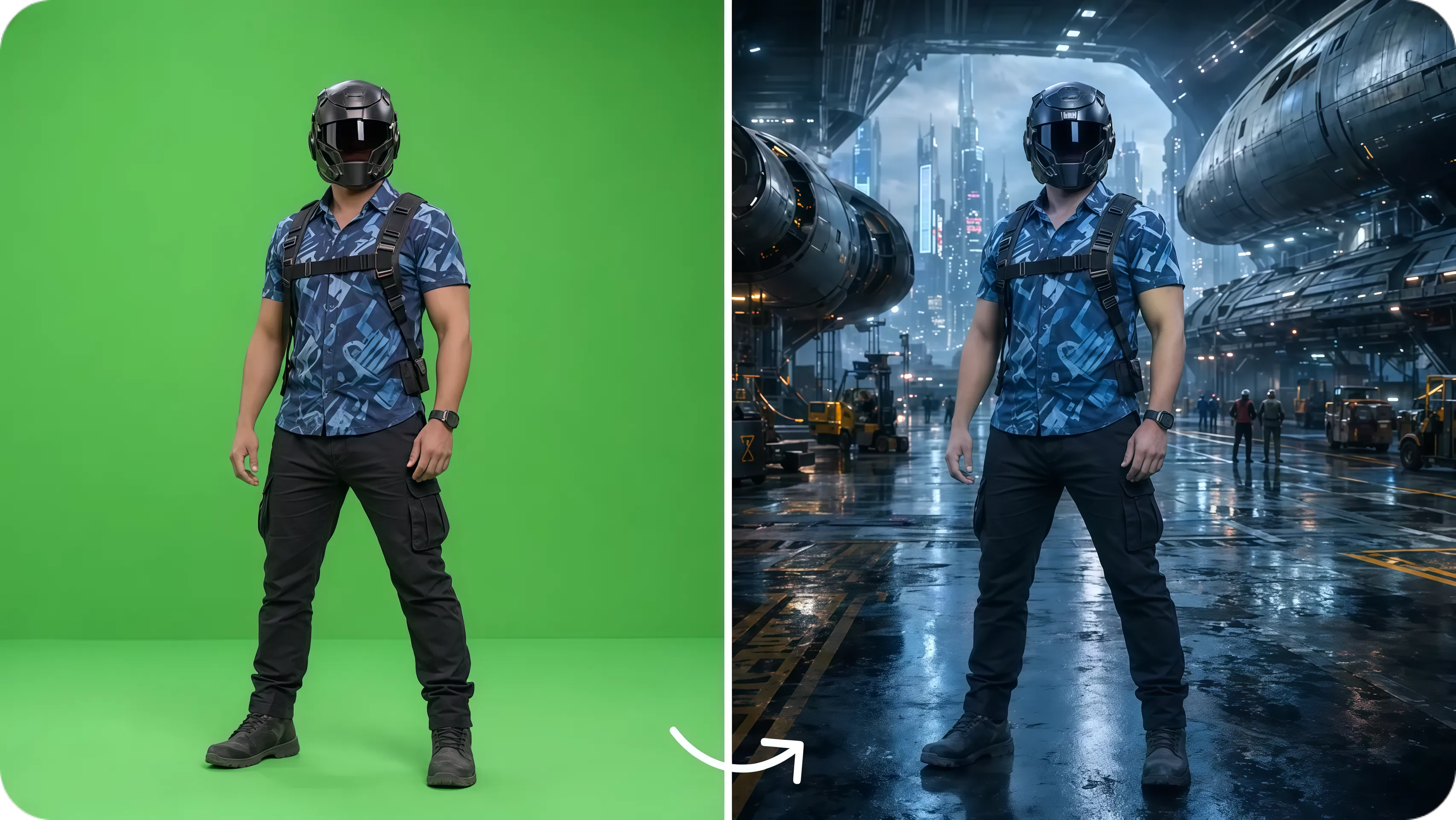
That makes AI video feel less like a random generator and more like a controllable production tool.
For professional creators, this is essential. Commercial work cannot rely only on beautiful accidents. Ads, product films, shorts, music videos, game cinematics, and architectural visualization all need structure before style.
Local editing: the real productivity gain comes from reducing rework
Seedance 2.5 includes local editing, allowing creators to modify specific parts of a video instead of regenerating the entire clip.
This is one of the most practical upgrades.
In real AI video production, the first generation is not always the most expensive step. Rework is.
A face is slightly wrong.
A product logo breaks.
The background contains an unwanted object.
A hand looks unnatural.
A prop changes shape.
A lighting detail feels off.
One motion breaks the rhythm of the scene.
With many current AI video tools, fixing one detail often means regenerating the entire video. But regeneration can destroy the parts that already worked.
By preserving the successful parts of a clip while refining only the problem area, Seedance 2.5 makes AI video much more usable for commercial and creative workflows.
Local editing preserves lighting, composition, motion, and timeline continuity while changing a specific region.
The 180-second beta mode is exciting, but should be tested carefully
Seedance 2.5 generates up to 30 seconds in standard mode and extends videos up to 180 seconds with a beta long-video mode.
A three-minute AI video is an ambitious promise.
For short films, music videos, concept trailers, ad stories, and episodic content, 180 seconds is close to a complete creative piece. Creators can generate longer narrative sequences without stitching together dozens of short clips.
But this is also the area that needs the most caution.
Long video is not just about duration. It is about maintaining identity, lighting, camera logic, spatial relationships, motion continuity, and story rhythm over time.
Who should pay attention to Seedance 2.5?
Seedance 2.5 is not only for AI hobbyists. It is especially relevant for creators who already work with visual systems, stories, and client-ready content.
Designers
If you want to turn campaign visuals, product images, brand assets, or visual concepts into motion, reference inputs and local editing may be highly useful.
Artists
If you create characters, worlds, visual narratives, experimental films, or moving image work, the 50-reference system and longer duration may give you more room for expression.
Video creators
If you make short-form content, music videos, ads, trailers, social videos, or story scenes, 30-second native generation is much closer to real production needs than five-second clips.
Creative teams and agencies
If you need to produce campaign variations across multiple platforms, reference consistency and local editing may matter more than flashy one-off demos.
Ecommerce and product teams
If you need product showcases, lifestyle videos, ad variants, or social clips, the most important test will be whether Seedance 2.5 can preserve product accuracy.
Final thoughts
Seedance 2.5 is exciting not only because it delivers 30-second video and 50 reference inputs, but because it moves AI video from beautiful short clips toward editable, extendable, and production-ready creative work.
For designers, artists, and video creators, this is one of the most important AI video models to test now that it is available. Seedance 2.5 is now available on Artflo, giving creators a fast way to try the new model inside their creative workflow.